
Schoolboy Escape 2: Village Online Stealth Horror
Schoolboy Escape 2: Village is a first-person stealth horror game about a child determined to slip away from his strict grandparents and meet his friends. Explore an interactive old house in a rural village, search for useful items, and build an escape plan without being seen. Every creak or sudden movement can expose you, so crouch, watch the adults' routes, and choose the safest moment to move. Fans of tense family-house escapes can discover more in our Schoolboy Runaway collection.
How to Play Schoolboy Escape 2: Village
On PC, use WASD to move, the mouse to look around, the left mouse button to interact, C to crouch, I for a hint, and P to pause. On a phone, move with the left joystick, swipe to rotate the camera, and use the on-screen buttons to interact, crouch, pause, or request a hint. Search quietly and avoid the grandparents while you prepare a route out of the house.
Mastering the Puzzles: Schoolboy Escape 2: Village Video Walkthrough
To help you fully immerse in the Schoolboy Escape 2: Village experience, we've provided a step-by-step gameplay video showing the most efficient way to solve these mysteries.
Escape a House in the Village
The schoolboy has promised to meet his friends, but his grandparents have locked him at home with work to do. Explore the house and surrounding village area, gather what you need, and turn his risky plan into a successful escape.
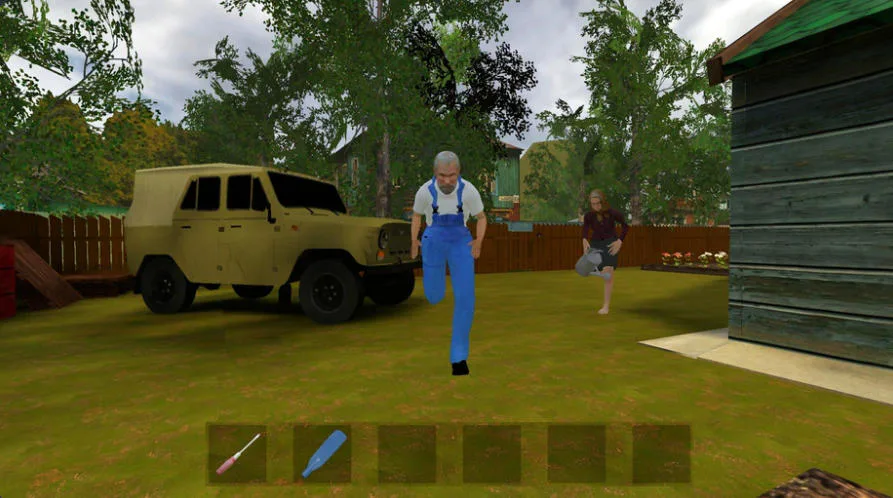
Keep your distance when both grandparents chase the schoolboy through the village yard.

A close encounter with Grandfather can end a careless attempt to sneak through the hallway.
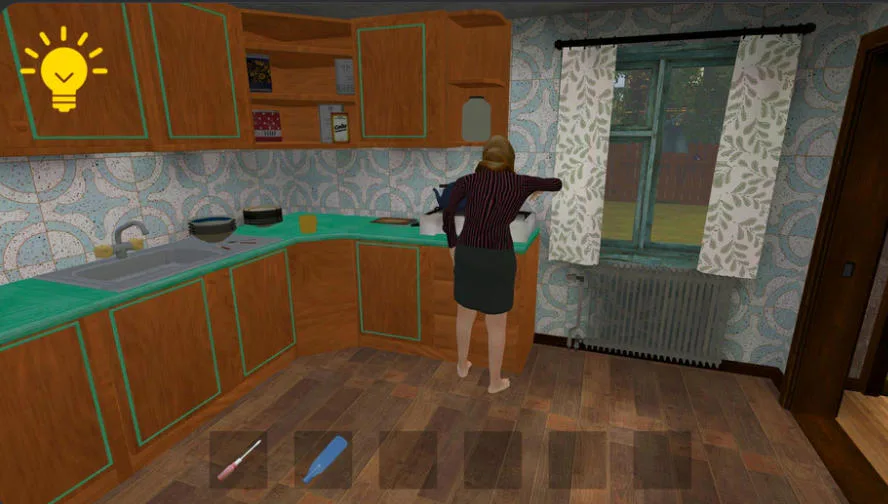
Watch Grandmother's position and quietly search the interactive kitchen for useful items.
Sneak Past Strict Grandparents
Stay out of sight, crouch when you need a lower profile, and learn when each adult is likely to enter a room. Careful timing matters because a direct encounter can ruin the escape attempt.
Investigate an Interactive House
Open up routes, inspect rooms, and interact with objects that may help the schoolboy get outside. Treat the house like a detective scene: small details and useful items can reveal the next step.
Horror Built Around Every Sound
Dark corridors, creaking floors, rustles, and unexpected noises keep the escape tense. Listen carefully, look into each room before entering, and avoid rushing into a grandparent's path.
How to Play Schoolboy Escape 2: Village
Move and Check Your Surroundings
Use WASD and the mouse on PC, or the left joystick and screen swipes on a phone. Look around before crossing a doorway so you do not walk straight into an adult.
Search and Interact
Press the left mouse button on PC or the interaction button on mobile to inspect the house and use objects. Search each room methodically for anything that can advance the escape plan.
Crouch and Stay Unseen
Press C on PC or the crouch button on mobile when stealth is safer than standing. Follow the grandparents' movements, wait for an opening, and move quietly toward the next objective.
Use Hints and Plan Each Session
Press I or the mobile hint button when you are stuck; a hint may require viewing an ad. Use P to open the pause menu, where you can adjust sensitivity, music, and sound. Progress is not saved after you quit, so plan enough time for a complete attempt.
Schoolboy Escape 2: Village fits an Online Escape Room audience by turning one family home into a stealth puzzle. Instead of fighting, you observe patrols, investigate rooms, collect useful objects, and connect each discovery to a safe way outside. PC and mobile controls make the same careful escape plan accessible across devices.
Play Schoolboy Escape 2: Village online, sneak past the grandparents, search the old house, and help the schoolboy reach his waiting friends.
Schoolboy Escape 2: Village FAQ
What is the goal in Schoolboy Escape 2: Village?
Help the schoolboy escape his grandparents' house so he can meet his friends. Explore quietly, find useful objects, and avoid being seen while you complete the escape plan.
What are the PC controls for Schoolboy Escape 2: Village?
Use WASD to move, the mouse to rotate the camera, the left mouse button to interact, C to crouch, I to request a hint, and P to pause.
Can I play Schoolboy Escape 2: Village on a phone?
Yes. Use the joystick on the left to move, swipe across the screen to look around, and use the on-screen buttons to interact, crouch, pause, or get a hint.
Does Schoolboy Escape 2: Village save my progress?
No. Each session is a fresh escape attempt, and progress is not saved when you quit the game. Use the hint option if you become stuck during a run.