
Prison Escape: Exit Room Game - Find the Way Out
Prison Escape: Exit Room Game is a free online puzzle escape game by hyphae that begins inside a locked jail cell. Search the room, inspect objects, and work out how to open the first door. Getting out of the cell is only the beginning: the prison contains connected rooms, blocked passages, and items whose purpose becomes clear somewhere else. Useful objects go into the inventory on the right side of the screen, where you can select one and try it on a lock, mechanism, or other part of the scene. The route also leads toward a prison morgue, which holds equipment needed for the escape. Its bunker-like interiors give the search a tense atmosphere, while the challenge stays focused on observation, item use, and interactive puzzles. Keep track of doors you cannot open yet, revisit earlier rooms after a discovery, and use the question-mark hint button when you need a direction. Play in the browser with a mouse or touchscreen and no site download required.
Prison Escape: Exit Room Game Puzzles and Inventory
Progress depends on connecting rooms and objects. A tool found in one area may unlock a passage in another, so an apparently finished room can become useful again once your inventory changes. Search carefully, test items with a purpose, and keep the route back in mind.
Hidden objects in the prison rooms
Inspect the cell and the rooms beyond it for objects you can collect. The right-hand inventory keeps useful finds available as you explore. Pay attention to shelves, corners, and fixtures rather than assuming the next clue will sit beside the door it opens.
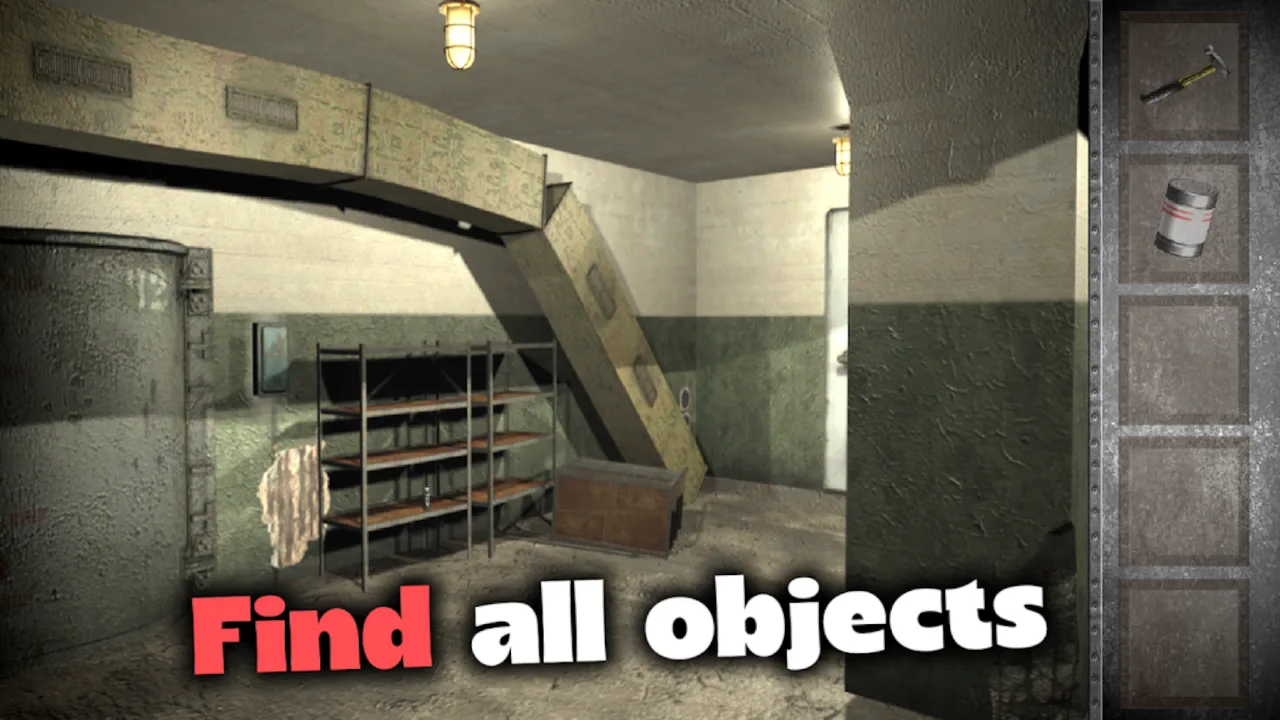
Search the prison rooms for objects that can help with a later obstacle.

Explore each new room and return to earlier locations when you find something useful.

Keep opening routes through the prison as you work toward the exit.
Connected rooms and clues worth revisiting
Doors and passages lead to more of the prison as you solve its challenges. Some rooms supply an item; others give you a place to use it. The back arrow lets you return to a previous scene, making it easier to follow up on an unfinished puzzle after finding a new tool.
A route out of the prison
Work through the locks and interactive puzzles to open the way forward. The morgue is part of the search because it contains items needed for your escape. If you cannot see the next connection, the question-mark button in the upper-right corner provides in-game help.
How to Play Prison Escape: Exit Room Game
Start Prison Escape: Exit Room Game and inspect the cell
Press Start Game in the player above. Use the mouse on a computer or tap the screen on a mobile device to inspect objects, doors, and passages. Begin by looking for something you can interact with inside the starting cell.
Collect objects and select them in the inventory
Interactive objects you collect appear in the panel on the right. Click or tap an inventory item to select it; its border becomes brighter. Then click or tap the place in the scene where you want to use it.
Open passages and revisit earlier rooms
Solve the interactive puzzles and use items where they fit to open new areas. Click doors or passageways to move between scenes. The arrow in the upper-left corner returns you to the previous screen when you need to check an earlier obstacle.
Search the morgue and use hints when needed
Find the key that gives access to the prison morgue and search it for items required to continue. If you are unsure what to do next, click the question mark in the upper-right corner for help, then use the hint to guide your next search.
Prison Escape: Exit Room Game suits players who like searching detailed rooms and figuring out where each object belongs. Its right-hand inventory and backtracking controls keep the focus on how locations connect, while hints offer a way forward when a puzzle stops you. Play free online with no site download required. For more item-based challenges, explore our puzzle escape games or browse the full escape games collection.
Play Prison Escape: Exit Room Game now, search the cell, and find the first object that brings freedom closer.
Prison Escape: Exit Room Game FAQ
Is Prison Escape: Exit Room Game free to play?
Yes. You can start Prison Escape: Exit Room Game for free in the embedded browser player on this page. No site download is required to begin playing.
How do I use inventory items in Prison Escape: Exit Room Game?
Click or tap an item in the inventory panel on the right. Its border becomes brighter when selected. Then click or tap the part of the scene where you want to use it.
Where is the hint button in Prison Escape: Exit Room Game?
The question-mark button is in the upper-right corner. Use it when you are unsure of the next step or need help making progress through a puzzle.
Can I play Prison Escape: Exit Room Game on mobile?
The game supports tap controls on mobile as well as mouse controls on desktop. Tap objects, inventory items, and doors to interact. A landscape screen can make the room details easier to see.
Why do I need to enter the morgue?
The prison morgue contains items needed for the escape. Find its key, enter the room, and inspect it for objects that help you open the remaining route forward.